
 Save ৳50
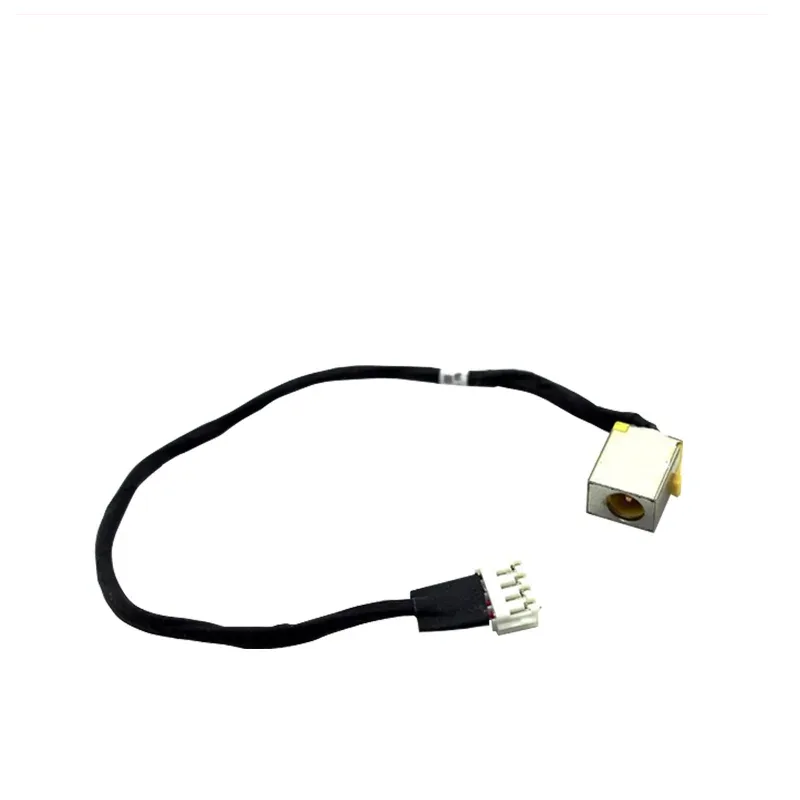
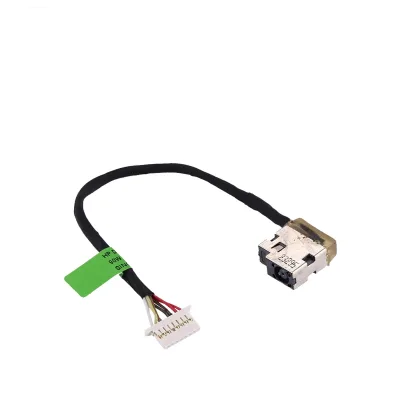
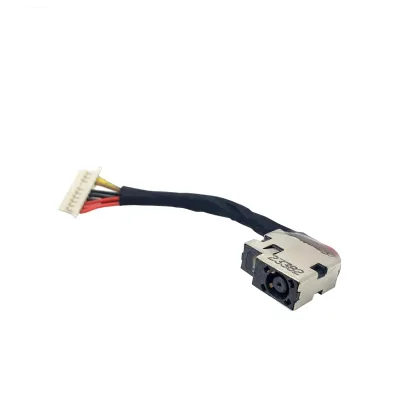
Acer E1-731 Laptop DC Power Jack with Cable (E1-771, E1-772, V3-731, V3-771)
Write the first reviewModel Acer E1-731 DC JackSKU ACER-ACERE1731DCJACK
৳400৳45011% off
In stock — ready to ship
Key features
- Type: Laptop DC power jack with cable
- Fits: Acer E1-731, E1-771, E1-772, V3-731, V3-771
- Condition: Brand new
- Use: Fixes loose or broken charging port
- Replaces: Worn DC power socket
- DeliveryAll over Bangladesh · charge shown at checkout
- No warrantyPlease check the product at delivery
- Store pickupElephant Road, Dhaka
Specification
General
- Brand
- Acer
- Product Type
- Laptop DC power jack with cable
- Condition
- Brand new
Compatibility
- Models
- Acer E1-731, E1-771, E1-772, V3-731, V3-771
Description
Acer E1-731 Laptop DC Power Jack
A loose or broken charging port stops your laptop from charging, makes the power light flicker, or only works when you hold the plug at an angle. A new acer e1-731 dc jack replaces the damaged power socket so the charger fits firmly and power flows steadily again.
Key Features
- Brand new DC power jack with attached cable
- Listed for Acer E1-731, E1-771, E1-772, V3-731 and V3-771
- Gives the charger plug a firm, secure fit
- Fixes laptops that charge only at certain angles
- Direct replacement part for a worn charging port
Signs Your DC Jack Needs Replacing
Common signs are a charger that wobbles in the socket, a battery that charges on and off, a laptop that runs only while you hold the cable, a burnt smell near the port, or no power at all with a working charger. Test with a second charger first, because a bad adapter can look the same.
Why Replace It Early
A loose jack can arc, overheat and damage the motherboard. Each time the connection breaks, the laptop also switches between battery and mains power, which stresses both. Replacing a small DC jack is far cheaper than repairing a burnt mainboard, so change it as soon as the plug feels loose.
Compatible Models
This DC jack is listed for the Acer E1-731, E1-771, E1-772, V3-731 and V3-771 laptops. Check the model label under your laptop and compare the plug shape in the photo before you order, because DC jack designs differ between series.
Installation Tips
Switch off the laptop, unplug the charger and remove the battery. Open the case, disconnect the old jack cable from the motherboard, and take out the old socket. Fit the new jack, route the cable the same way and reconnect it. This job is best done by a technician, because a wrong connection can damage the board.
Buy From QASWATEC
QASWATEC on Elephant Road, Dhaka, has supplied laptop parts since 2010. Our staff can confirm the right jack for your model before you buy. Visit the showroom or order online for delivery across Bangladesh.
Questions about this product
Which laptops does this DC jack fit?
It is listed for the Acer E1-731, E1-771, E1-772, V3-731 and V3-771 laptops. Check the model label under your laptop before ordering.
How do I know my DC jack is faulty?
A loose plug, a battery that charges on and off, or no power with a working charger are common signs of a damaged DC jack.
Is this DC jack brand new?
Yes, it is listed as a brand new DC power jack with an attached cable.
Can QASWATEC help confirm compatibility?
Yes. Visit us on Elephant Road, Dhaka, or send a photo of your laptop label and old jack and our team will confirm the match.
Another question? Ask our team — we reply within one working day.
People also search for
Reviews
No reviews yet. Bought this from us? Tell other buyers how it works for you.
Write a review
Similar products
Lenovo
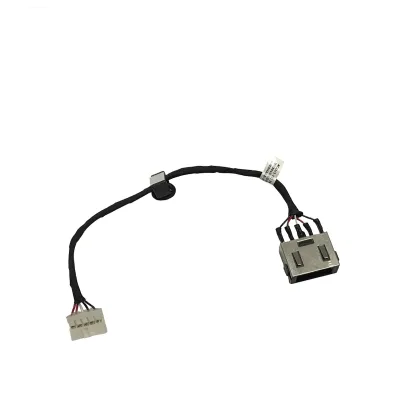
Lenovo G50-30 Laptop DC Power Jack with Cable (G50-45, G50-70, G50-80)
0.0 (0)
৳400৳450
In stock
৳400৳450